¶ Tracking with Microsoft Ads App install
Microsoft App Install is the advertising format developed by the Microsoft Ads platform itself, aimed at acquiring new users for mobile apps. Just like with other advertising sources, you will have no trouble measuring your Microsoft campaigns with EMMA.
¶ Set up in EMMA
To be able to measure your Microsoft Ads campaigns with the goal of app installs, follow these steps:
-
Log in to your EMMA account.
-
Go to App Preferences and make sure the following fields are configured:
- App Store
- App Store ID
- Google Play
- Google Play ID
-
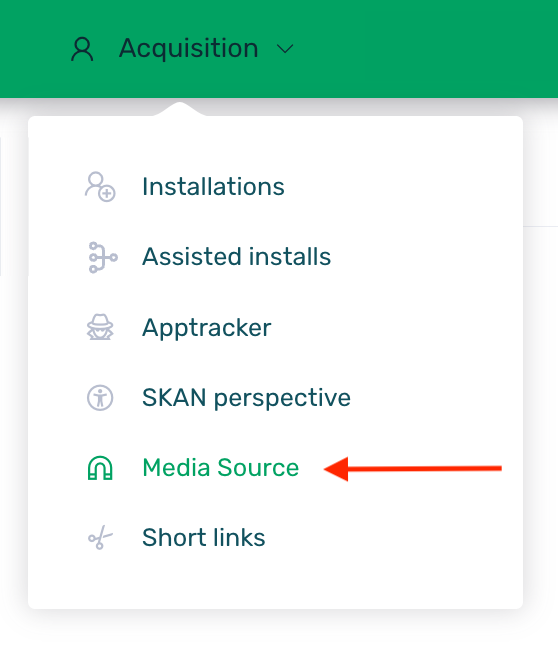
Go to Acquisition > Media Source.
-
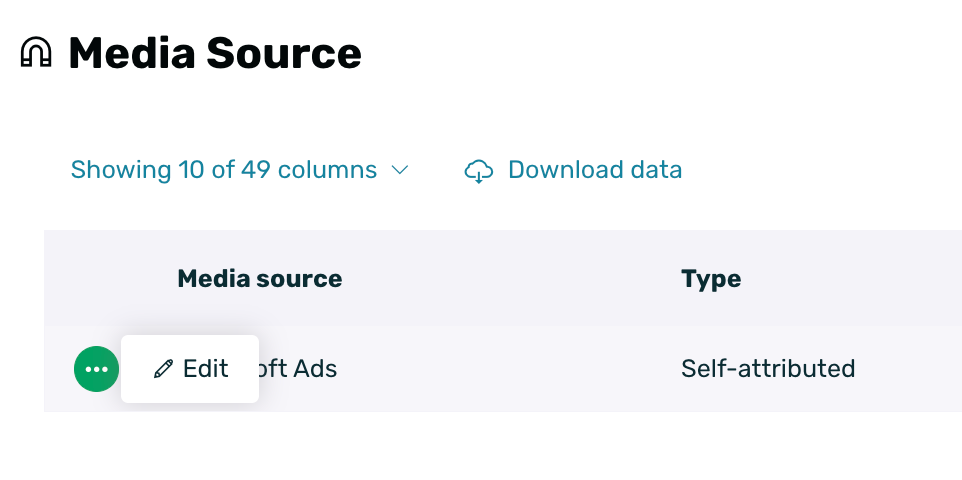
Search for and edit the Microsoft Ads provider.
-
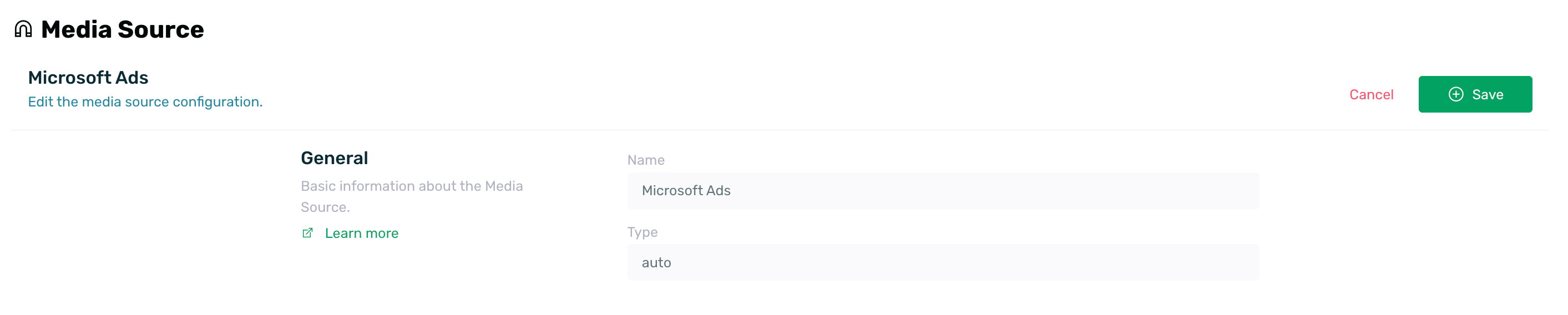
Without needing extra configuration on the screen, click Save.
¶ Generate a tracker for Microsoft Ads
To work with Microsoft Ads, it is necessary to create a tracking link to associate it with the campaign. To do this, simply follow these steps:
-
Go to Acquisition > Apptracker.
-
Create a new campaign. You can find more information here.
-
Create a new source, set a name, a payment model, and in the Media Source field select the Microsoft Ads option. You can find more information about creating sources here.

-
Save the configuration and you're done. You will now have the links (one for Android and one for iOS) to set up in your Microsoft Ads campaign.

It is important that when configuring Microsoft Ads you select Kochava as the mobile measurement partner since this type of campaigns are managed through them. You can find more information about how to configure Microsoft Ads campaigns here.